

In November of 2024, Mezmo Log Analysis customers were given access to a Pipeline designed specifically to provide them with an optimized log data management experience. This topic provides an overview of the new features available to customers through this Pipeline, as well as an overview of the Processors in this Pipeline and their configuration.Documentation Index
Fetch the complete documentation index at: https://mezmo-9a59581a-mintlify-926f893d.mintlify.app/llms.txt
Use this file to discover all available pages before exploring further.
Access the Pipeline
- Log in to the Mezmo Web App.
- Click the Pipeline icon at the top of the left navigation column.
Do not edit the Pipeline without consulting Mezmo Technical Services.
Pipeline Architecture
The Primary Ingestion Pipeline processes data in four steps, with each step designed to optimize your data for use with Mezmo Log Management.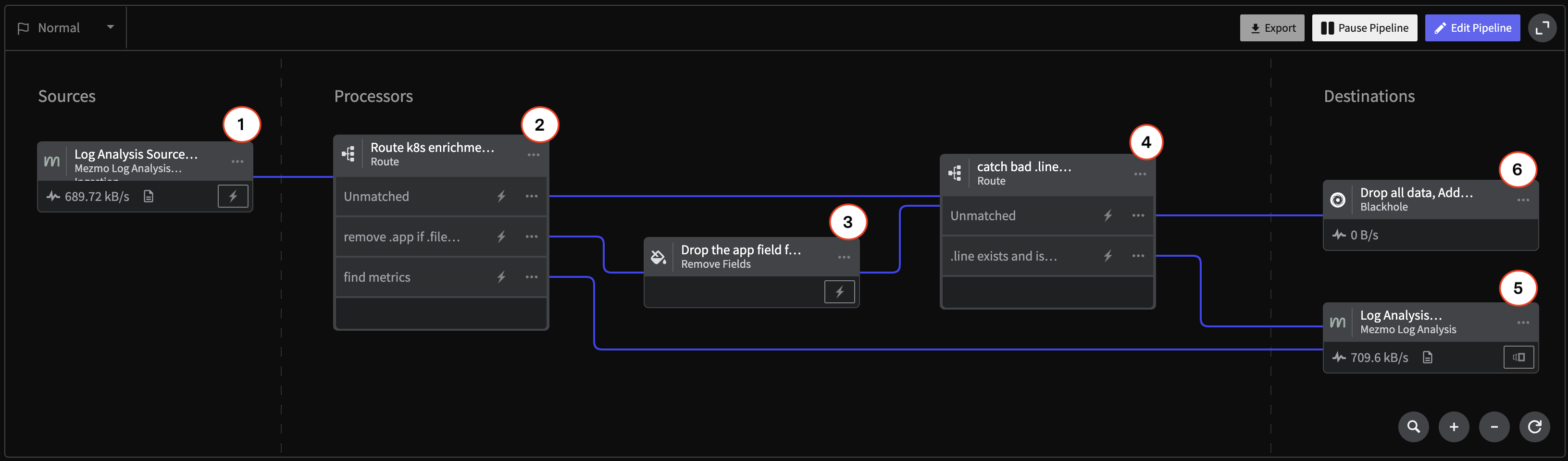
| Component | Description | Configuration |
|---|---|---|
| 1. Mezmo Log Analysis Data Source | ||
| 2. Route Processor | The Route Processor uses conditional statements to identify Kubernetes enrichment metrics, app/file metadata, and other relevant data for further processing, while unmatched data is sent directly to Log Analysis. | 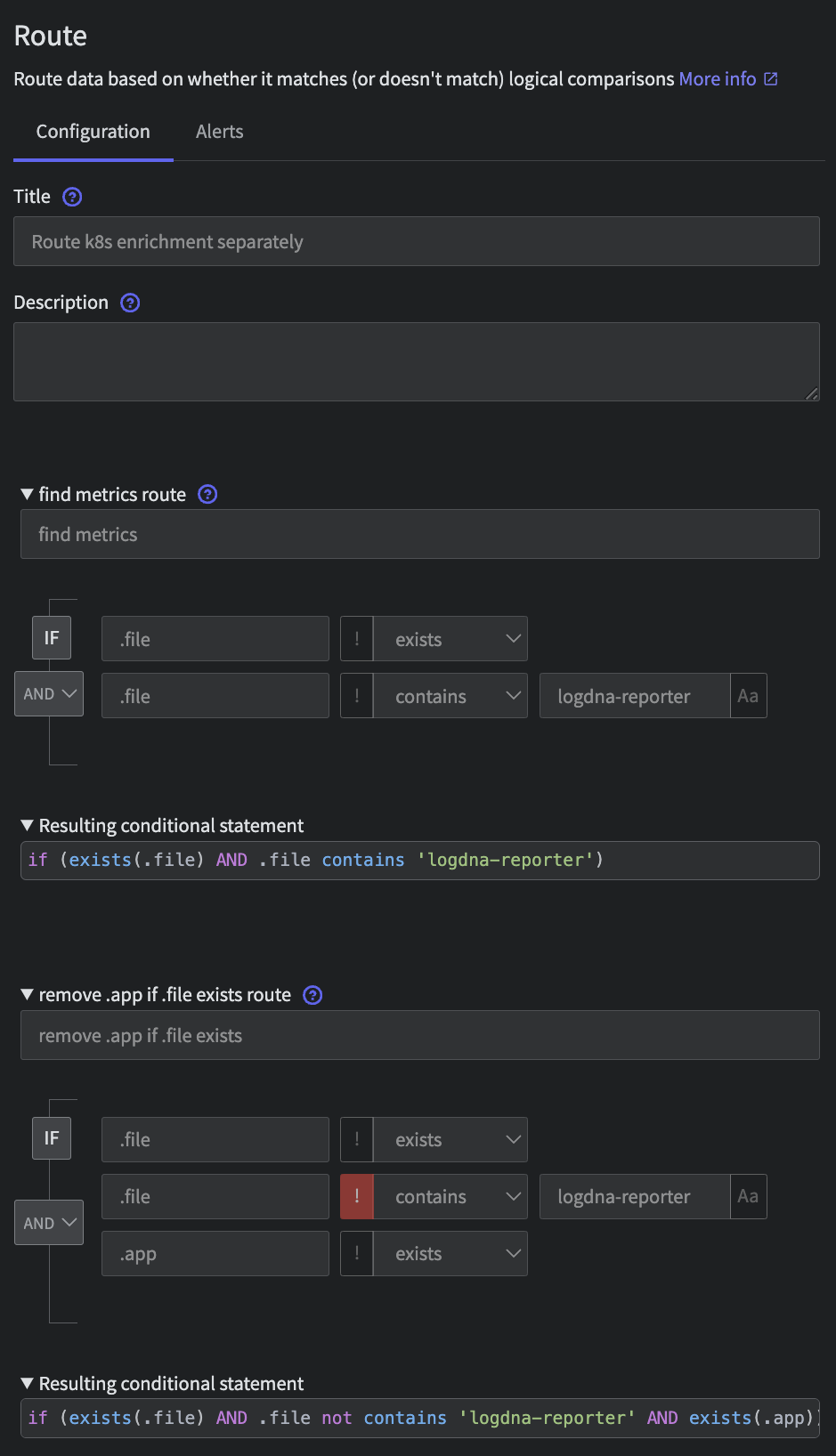 |
| 3. Remove Fields Processor | The Remove Fields Processor drops the .app field when a file is also present. | 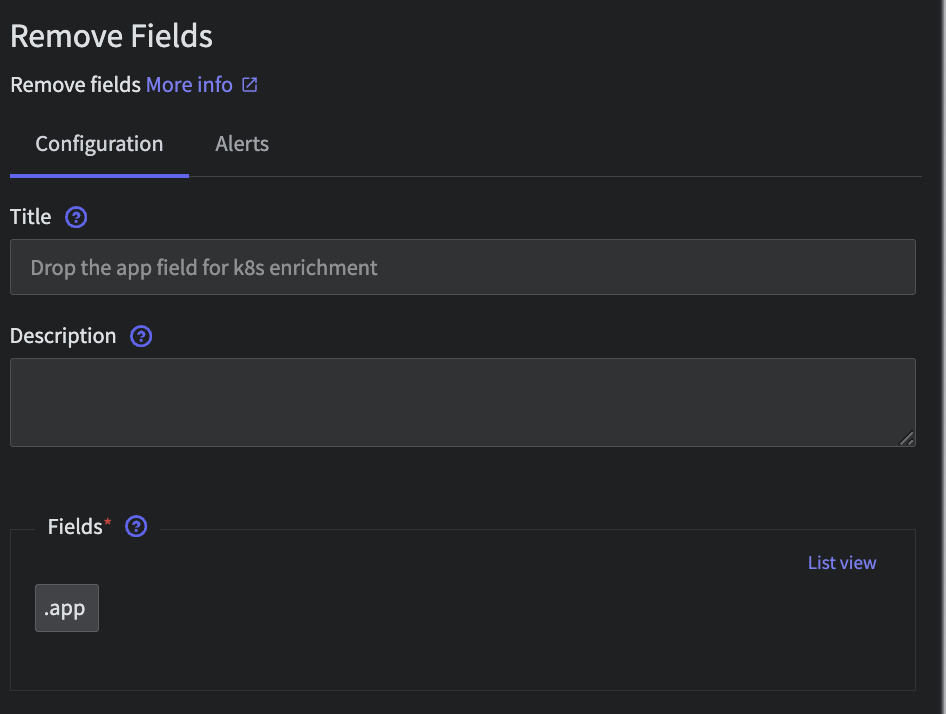 |
| 4. Route Processor | The Route Processor routes empty fields to a Blackhole Destination, where they are dropped. | 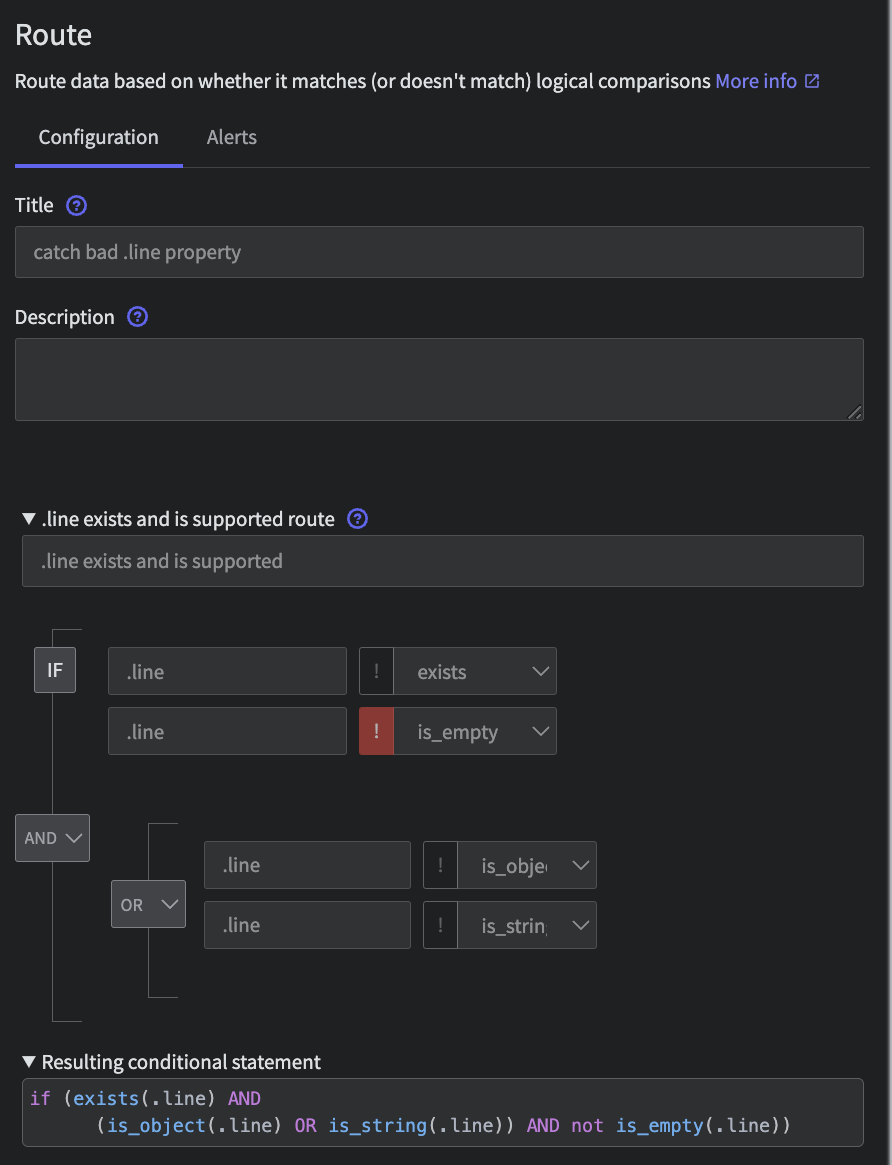 |
| 5. Log Analysis Destination | The processed telemetry data is sent to Mezmo Log Analysis. | 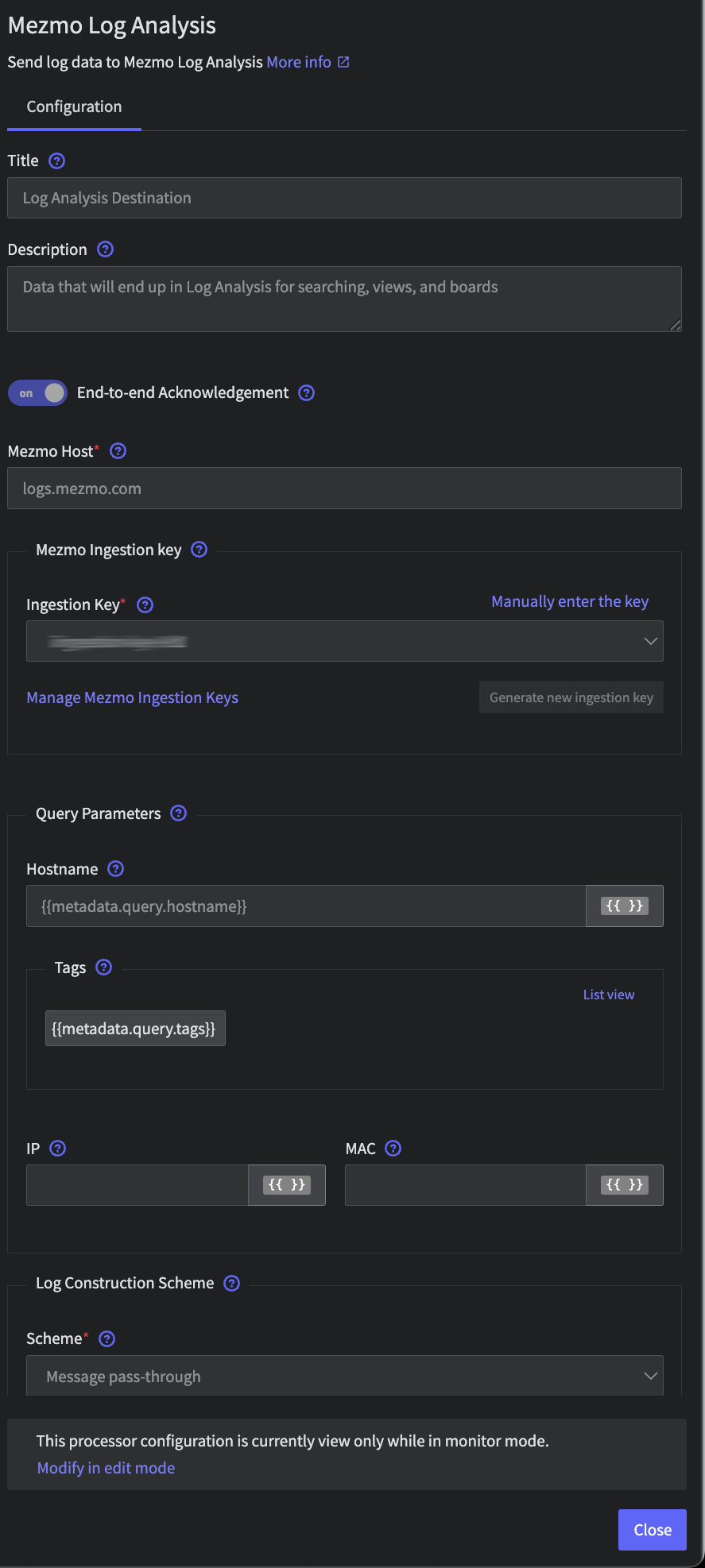 |
| 6. Blackhole Destination | The Blackhole Destination drops all data sent to it. |