

Responsive Pipelines enable you to pre-configure a Pipeline to change behavior automatically in the case of an incident. This makes it easier to balance the need for high-fidelity data required during incident response, with the need to reduce data load for cost reduction. Responsive Pipelines adjust their behavior in response to specific triggers, such as the detection of a new critical incident. State change can be triggered through API calls from external incident response systems, such as PagerDuty, or you can activate it manually in the Pipeline in the Mezmo Web App.Documentation Index
Fetch the complete documentation index at: https://mezmo-9a59581a-mintlify-926f893d.mintlify.app/llms.txt
Use this file to discover all available pages before exploring further.
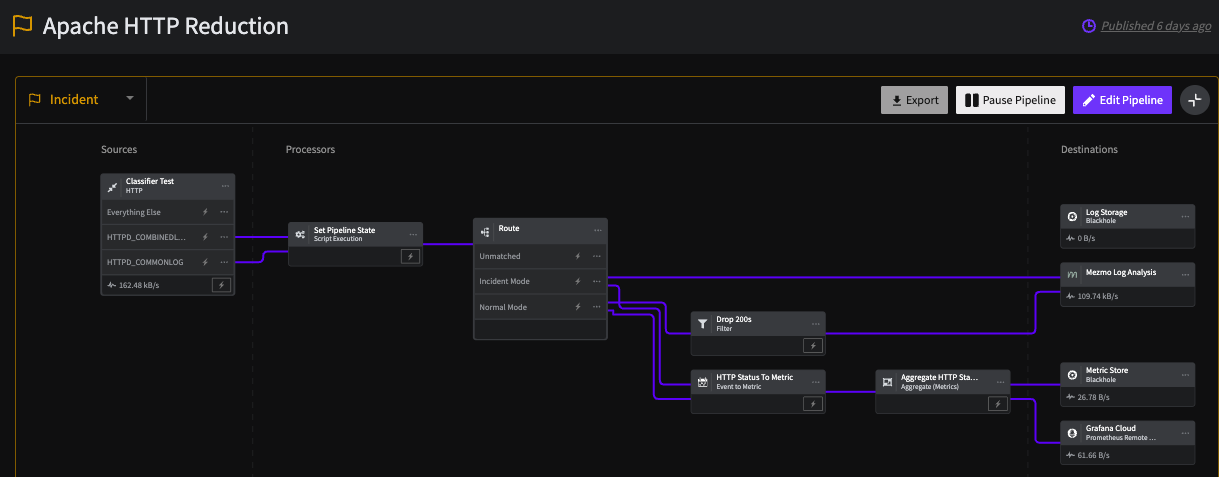 This screenshot shows a Pipeline that, in Monitoring mode, drops
 Status 200 events, and converts other HTTP Status events to metrics. In Incident Mode, the Route Processor sends the full data stream to Mezmo Log Analysis.
How it Works
Mezmo Responsive Pipelines introduces a state variableoperational_state that is associated with each Pipeline. The value for this state is either normalor incident, and the Processors in the Pipeline can change their functioning based on the value. For example, the Sample Processor can be disabled if operational_state=incident so that during the incident, you can have high fidelity data for further analysis.
Set the Pipeline Operational State
You can change the operational state of a Pipeline manually through the Mezmo Web App, or through the Telemetry Pipelines API.Mezmo Web App
You can change the operational state of a Pipeline in the Mezmo Web App by selecting the state in the upper-left corner of the Pipeline Map. The state of the Pipeline is also shown in the Pipeline name, with an orange flag indicating the Incident state.
You should change the state of a Pipeline in the Mezmo App at least once to initialize the Pipeline’s state table so it can be used with the API.
Use State Variables in Filter and Route Processors
Reference state variables directly in the Field property of Filter and Route processors using thestate.<variable_name> syntax. This lets you change processor behavior based on the pipeline’s operational state.
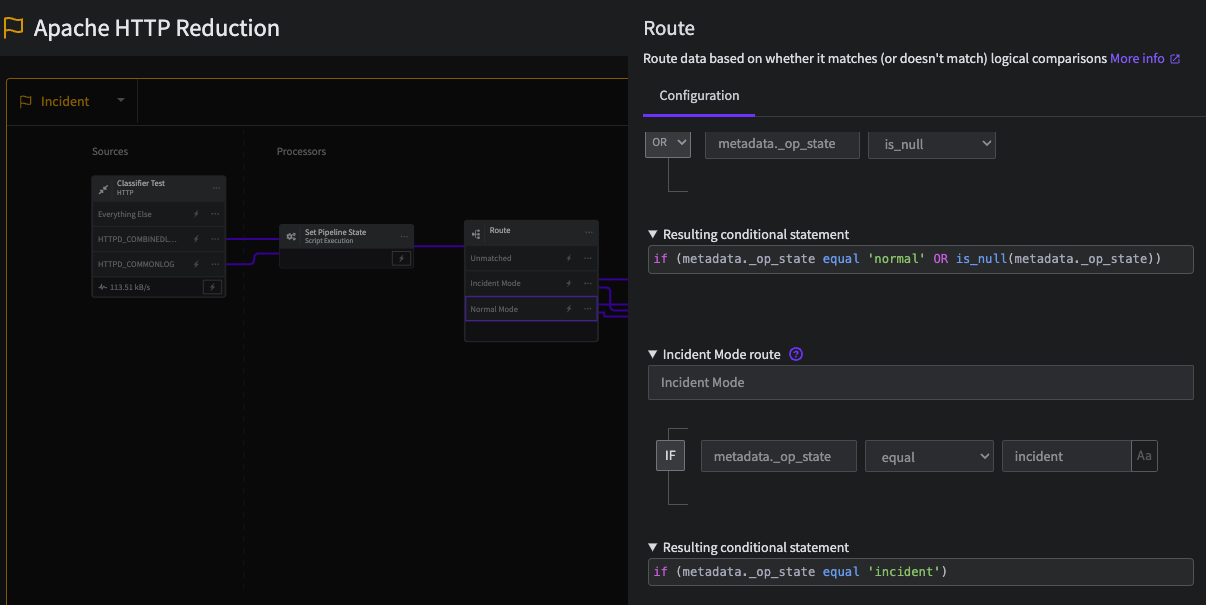
To route events based on the operational state, set the routing conditions as follows:
Script Execution Processor (Alternative)
Alternatively, you can use the Script Execution Processor to add the operational state as metadata to a message for more advanced use cases. This code shows how to get the Pipeline state variable and set it as message metadata: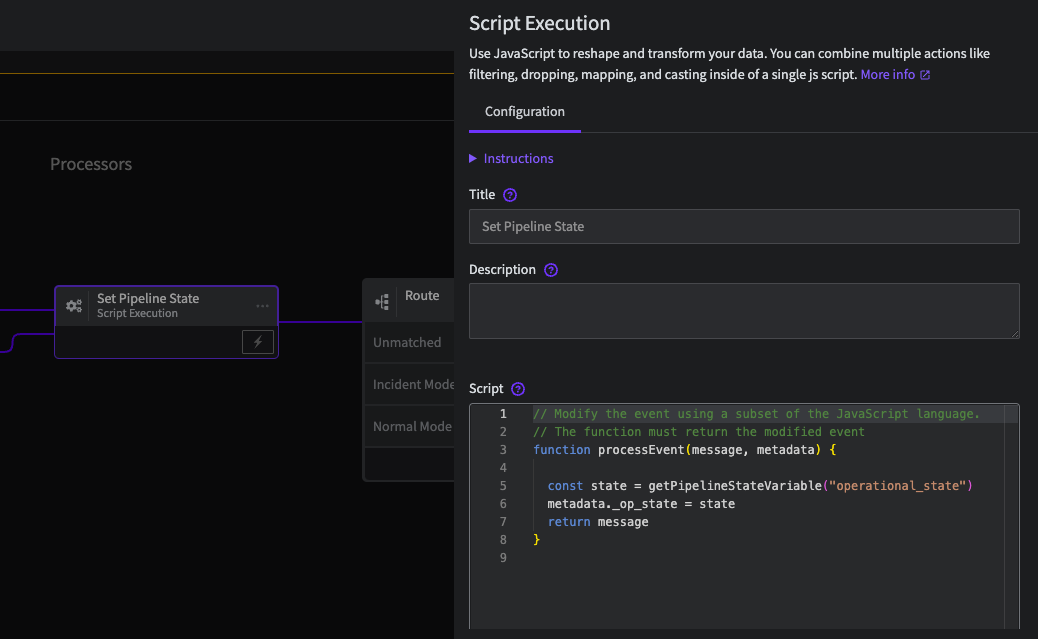 You can then use the value of
 op_state in other processors:
API
You can get and set the value of the Pipeline operational state with the Telemetry Pipelines API: Get thestate_id: